

The Complete WordPress Image Optimization Guide: WebP, AVIF, and Beyond
Learn how to resize, compress, convert, and deliver WordPress images with WebP, AVIF, responsive sizing, lazy loading, and practical quality checks.

When WordPress Scheduled Tasks Stop Running: Critical Work Can Fail Quietly
Learn how delayed or failed WordPress scheduled tasks can affect backups, WooCommerce orders, emails, publishing, and other automated work—and what to check next.

7 WordPress Checks to Make Before a Seasonal Traffic Spike
Prepare your WordPress site for a sale, launch, holiday campaign, or media mention with seven practical checks for hosting, caching, checkout, backups, updates, monitoring, and response.

WordPress Plugin Audit: How to Find and Fix Performance Bottlenecks
Learn how to run a WordPress plugin audit, identify plugins that truly affect performance, and replace or remove them safely.

Why WordPress Email Deliverability Problems Often Start Outside Your Website
Learn why WordPress emails can fail even when your website works, and how SMTP, DNS authentication, hosting limits, reputation, and ownership affect delivery.
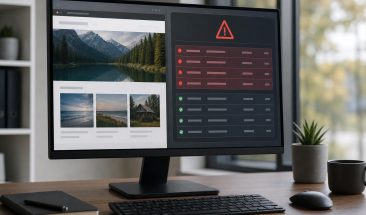
How to Verify a WordPress Malware Cleanup Was Successful
Learn how to spot warning signs that a WordPress malware cleanup may be incomplete, and what proper validation should include before you trust the site again.

5 Security Gaps WordPress Sites Often Miss Until After a Hack
Five overlooked WordPress security gaps that can disrupt form leads, local visibility, and daily operations for Toronto small businesses.

Contact Form Failures That Slip Past Basic WordPress Maintenance
A WordPress contact form can look normal while enquiries fail to arrive. Learn what routine maintenance can miss and how active form testing protects leads.

The WordPress Risks to Address in the First 30 Days of a Care Plan
A practical first-month guide to the access, backups, updates, security, monitoring, performance, licences, and reporting that make WordPress care measurable.

WordPress Hardening vs. Malware Cleanup: When You Need Each
Understand the difference between preventive WordPress hardening and malware cleanup, what each approach includes, and when your business needs one or both.

What Happens When WordPress Plugin Licences Expire and Nobody Notices
Expired plugin and theme licences do not always break a WordPress site right away, but they can quietly block updates, support, security patches, and key business functions over time.

When Downtime Alerts Are Not Enough to Protect Revenue-Critical Website Functions
A website can be online while forms, checkout, logins, or booking steps quietly fail. Learn where basic uptime alerts fall short and what to monitor instead.

What to Check After WordPress Plugin Updates on a WooCommerce Store
A practical post-update checklist for ecommerce websites so you can catch checkout, payment, email, layout, and tracking issues before they cost sales.

Who Owns WordPress Plugin and Theme Licences After Your Web Partner Leaves?
Not sure who owns your premium WordPress plugin and theme licences after an agency or freelancer leaves? Here’s how to audit access, avoid update gaps, and prevent renewal surprises.

How Managed WordPress Updates Reduce Plugin Conflicts
Learn how managed WordPress updates lower the risk of plugin conflicts, broken layouts, form failures, and checkout issues on active business websites.

Restore Testing: The Missing Step in WordPress Backup Planning
Backup files are only useful if they can be restored. Learn how restore testing validates WordPress recovery time, data integrity, and responsibility.

Firewall Rules or Login Protection: Which Security Gaps Should You Fix First?
A practical comparison for Canadian WordPress site owners deciding whether firewall rules or login protection should come first when security improvements need to be prioritized.

Troubleshooting WooCommerce Checkout Errors Before They Cost Sales
WooCommerce checkout errors can come from payment gateways, caching, shipping rules, plugin conflicts, themes, or recent updates. This guide shows Canadian store owners how to narrow the cause safely before failed orders turn into lost sales.

WordPress Cloud Backups and Uptime Monitoring: How Much Protection Does Your Site Need?
Learn how to compare WordPress cloud backups, restore access, retention, uptime alerts, and provider responsibility before choosing a service.

WordPress Hosting Warning Signs Canadian Site Owners Should Check Before Renewing
Learn the hosting warning signs Canadian WordPress site owners should review before downtime, slow admin pages, weak backups, or outdated server settings turn into bigger problems.

Page Template Audits for Faster WordPress Load Times
Learn how to audit WordPress page templates so recurring speed issues can be found and fixed before chasing one slow page at a time.