Administration Toolkit

One Plugin to Optimize, Secure, and Simplify WordPress

The Site Optimizer & Security Toolkit is a powerful all-in-one toolkit designed to improve WordPress performance, strengthen website security, simplify administration, and reduce unnecessary WordPress bloat. Instead of installing multiple plugins to manage updates, optimize performance, harden security, clean up the dashboard, and control user access, WPAssist Optimizer brings these essential features together in a single lightweight solution.

Whether you're a website owner, freelancer, agency, or WordPress maintenance provider, this plugin helps streamline day-to-day management while improving the overall health and efficiency of your website. From reducing unnecessary scripts and database overhead to restricting administrator access and hiding unwanted notifications, every feature is designed to make WordPress faster, cleaner, and easier to manage.

Stay in Control

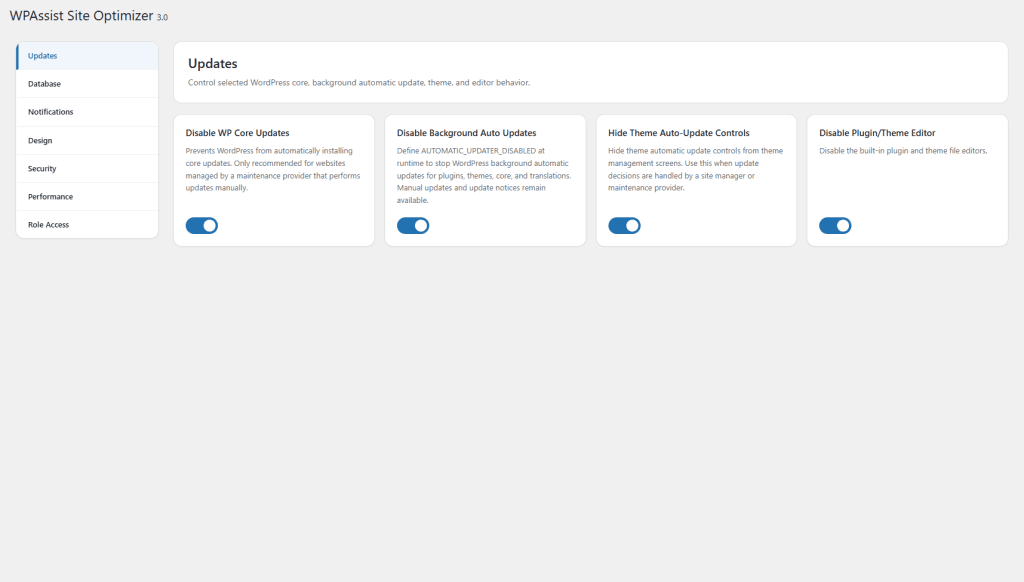
Manage how WordPress handles core, plugin, and theme updates. Prevent automatic changes, restrict update settings, and maintain full control over when updates are deployed to your website.

Keep It Lean

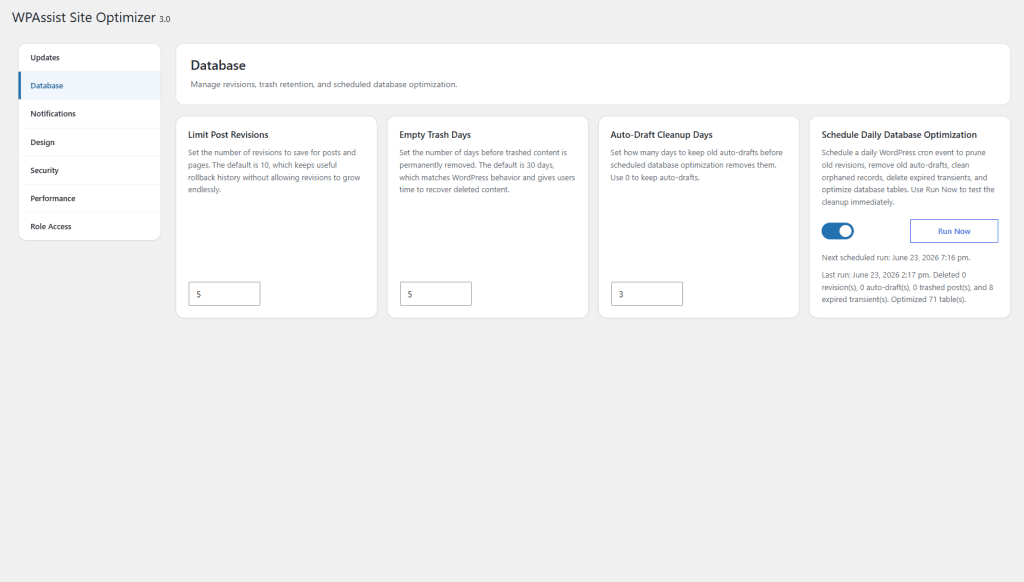
Reduce database clutter by limiting revisions, managing trash retention, disabling comments, and scheduling routine optimization tasks to keep WordPress running efficiently.

A Cleaner Dashboard

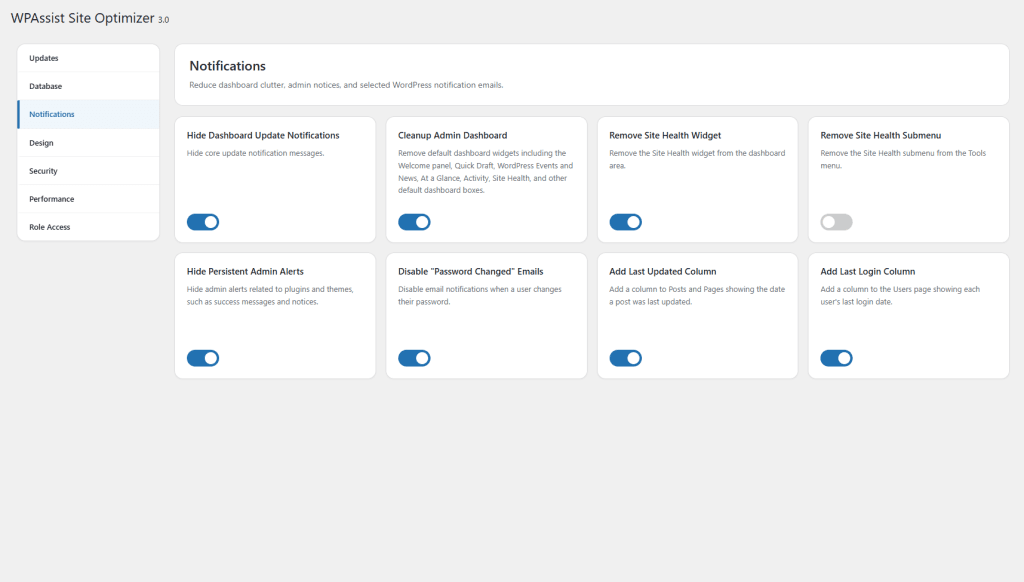
Eliminate unnecessary alerts, update notices, and dashboard widgets while adding useful management tools like Last Login and Last Updated tracking for a more organized admin experience.

Strengthen Protection

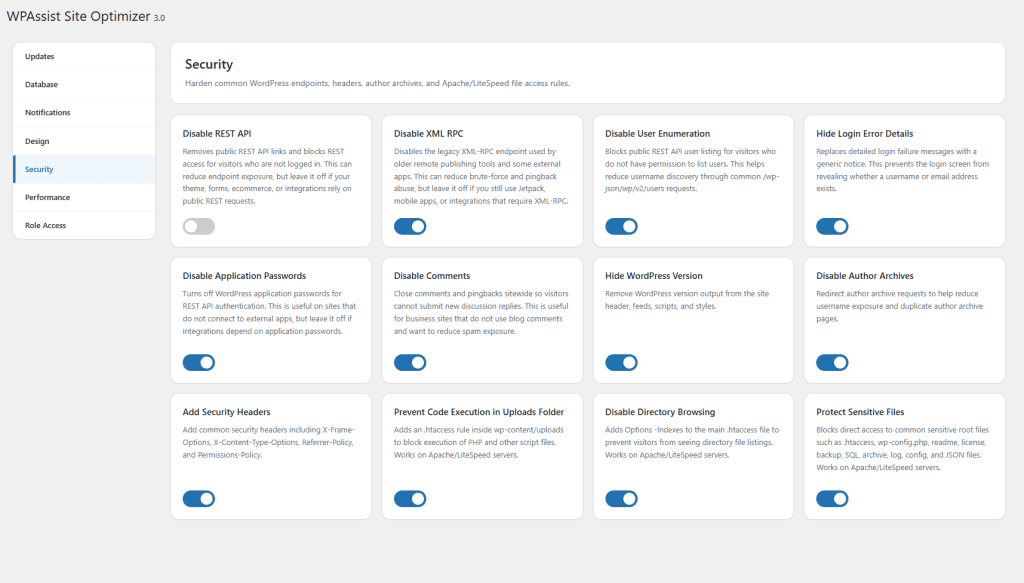
Reduce your website's attack surface with practical security enhancements including XML-RPC protection, user enumeration prevention, author archives protection, security headers, and other hardening measures.

Boost Performance

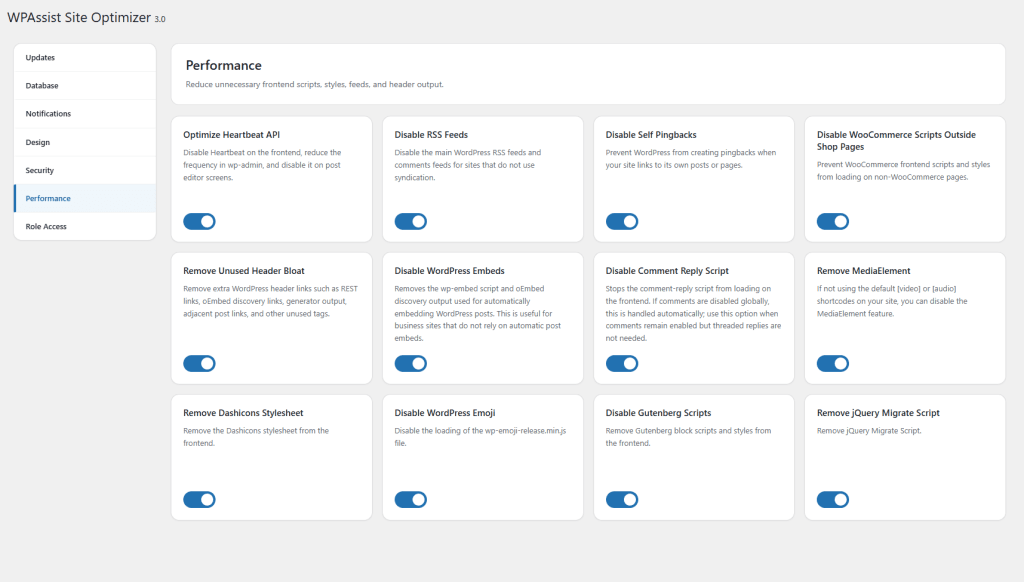
Improve website speed and reduce server load by disabling unnecessary WordPress features, optimizing WooCommerce assets, reducing frontend requests, and streamlining resource delivery.

Control User Access

Manage what users can see and do within WordPress. Restrict menu items, protect sensitive settings, limit post type access, and designate trusted administrators with advanced role controls.

Plugin Screens

Need More Information?

Check out the detailed documentation page