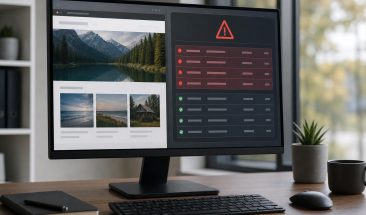
Security Plugins vs Layered WordPress Protection: What Prevents More Problems

A WordPress security plugin can be a useful part of protecting a business website, but it should not be treated as the entire security plan. Plugins can scan files, block some login attacks, alert you to suspicious changes, and add helpful rules. They cannot, by themselves, keep every theme, plugin, hosting setting, user account, backup, and response process healthy over time.
For Canadian small businesses, the practical question is not whether security plugins are good or bad. The better question is whether your current setup prevents the problems that would actually interrupt leads, sales, bookings, or customer trust. A brochure website with a few pages may need a lighter setup than a WooCommerce store, but both need more than a single dashboard warning light.
Quick Answer
Layered WordPress protection prevents more problems than a plugin-only setup because it combines tools with ongoing maintenance, login hardening, backups, monitoring, hosting hygiene, role reviews, and a response plan. A security plugin can detect and block some threats, but layered protection reduces more failure points across the whole website.
Key Takeaways
- A security plugin is useful, but it is only one layer of WordPress protection.
- Managed updates, backups, monitoring, and role reviews reduce risks that plugins often cannot fix alone.
- False confidence usually comes from seeing green plugin status messages while other parts of the site remain unreviewed.
- Business-critical websites should have prevention, recovery, and response planning in place before an incident occurs.
- A site has likely outgrown DIY security when updates, alerts, backups, and access control are no longer being checked consistently.
What does a security plugin actually do well?
A good WordPress security plugin can add useful safeguards around common website risks. It may limit repeated login attempts, scan files for known malware patterns, flag changed core files, add firewall rules, and notify administrators when something looks unusual. For a small site owner who otherwise has no visibility, that is a meaningful improvement.
Security plugins are strongest when they are configured properly and reviewed regularly. A plugin that sends alerts to an inbox nobody checks is not much different from a smoke alarm with a weak battery. The tool may detect a problem, but the business still needs someone to interpret the warning, decide what matters, and act quickly enough to prevent disruption.
A security plugin is a tool, not an operating model. It can improve detection and add barriers, but it does not replace update management, backup testing, hosting-level controls, least-privilege user access, uptime alerts, or a clear process for handling suspicious activity.
WPAssist often sees the biggest gap between installed security tools and actual ownership. A business may have a respected plugin active, but no one has checked the scan history, reviewed administrator accounts, confirmed backups, or verified that updates are being applied safely. That is where plugin-only protection starts to create false confidence.
What does layered WordPress protection add?
Layered protection treats WordPress security as a set of overlapping controls rather than a single product. If one layer misses something, another layer should reduce the chance that the issue turns into downtime, data loss, search engine warnings, or an emergency cleanup. This is the same practical logic behind many small-business cybersecurity recommendations: reduce preventable weaknesses, monitor important systems, and prepare for recovery.
The Canadian cybersecurity guidance recommends baseline controls for small and medium organizations, including patching, backups, access management, and incident preparation. Those baseline cyber security controls are not WordPress-specific, but they map closely to what a reliable WordPress protection plan should include.
Layered WordPress protection means combining preventive, detective, and recovery controls around the website. Preventive controls reduce the chance of compromise, detective controls reveal problems quickly, and recovery controls help restore a safe working site if something breaks or is attacked.
In practical terms, a layered setup usually includes managed WordPress updates, login protection, strong administrator practices, off-site backups, uptime monitoring, hosting security, file integrity checks, and periodic reviews of users, plugins, themes, and site configuration. It also includes a plan for what happens when an alert appears, because alerts without action do not protect the business.
For example, a WooCommerce shop may use a security plugin to block suspicious logins, but it also needs safe update scheduling, recent recoverable backups before checkout-related changes, monitoring for checkout failures, and careful review of any plugin that touches payments or customer accounts. The plugin matters, but it is not the whole safety net.
Where plugin-only protection falls short
Plugin-only protection tends to fall short in areas that require judgement, process, or infrastructure outside the plugin itself. A plugin can warn that something changed, but it may not know whether the change was caused by a legitimate developer, an automatic update, a compromised administrator account, or a malicious file upload. Someone still needs to investigate the context.
Updates are a common example. WordPress core, plugins, and themes all need attention, but business owners understandably worry that updates could break the site. Official WordPress documentation on updating WordPress emphasizes keeping software current, yet a live business website also needs backups, testing, and rollback planning around that work. A plugin can remind you that software is outdated; it does not automatically confirm that the update is safe for your exact theme, plugins, forms, and checkout flow.
That is why managed WordPress updates are a major part of prevention. The goal is not simply to click update faster. The goal is to keep the site current while reducing the risk of avoidable breakage, missed compatibility issues, or delayed patches that leave known vulnerabilities exposed.
There are also risks a plugin may not fully control. Weak hosting isolation, outdated PHP versions, exposed staging sites, shared administrator passwords, abandoned plugins, or a lack of tested backups can all create security and reliability problems. A plugin can sometimes alert you to these issues, but it usually cannot fix all of them without broader operational support.
Another blind spot is response planning. If a scan says malware may be present, who confirms it? If the site goes offline after an update, who restores it? If a suspicious administrator account appears, who checks logs and removes access? The more a website supports revenue or customer communication, the less suitable it is to leave those questions unanswered.
What prevents more problems day to day?
Layered protection prevents more day-to-day problems because it addresses the routine causes of WordPress incidents, not just the visible attack attempts. Many website emergencies start as ordinary maintenance gaps: a plugin remains outdated for months, a former contractor still has admin access, backups fail quietly, or a hosting setting is no longer compatible with the current site.
From the WPAssist perspective, prevention works best when it is boring and repeatable. Updates are reviewed on schedule. Backups are created outside the website environment. Uptime alerts are routed to someone who will respond. User roles are checked before access becomes messy. Security scans are interpreted instead of ignored.
Uptime monitoring is a good example of a layer that supports security without being a security plugin. It does not stop malware by itself, but it can reveal sudden outages, failed pages, or server problems that require attention. Dedicated Uptime Monitoring alerts help teams notice service interruptions faster instead of waiting for a customer to report that the site is down.
Backups are another layer that prevent a bad day from becoming a long outage. A backup does not stop an attempted attack, but it can reduce the damage if the site must be rolled back after a bad update, accidental deletion, or confirmed compromise. For that to be useful, backups need to be frequent enough for the business, stored separately from the live site, and tested often enough to trust.
Consider a simple lead-generation site for a local service business. If its contact form stops working after a plugin conflict, the issue may not look like a security incident. Yet the business still loses opportunities. A layered maintenance and security approach would pair updates with checks on the pages and forms that matter most, so reliability and security are handled together instead of as separate emergencies.
When has your site outgrown DIY security?
A website has outgrown DIY security when the consequences of a missed issue are greater than the time and attention the business can realistically give to prevention. That point often arrives sooner than owners expect. If your site receives leads, processes ecommerce orders, supports advertising campaigns, hosts member content, or represents a regulated professional service, downtime and suspicious warnings can affect more than the website itself.
DIY security can still be reasonable for a hobby site or a very small non-critical website, especially when the owner is comfortable reviewing updates, backups, alerts, and access controls. The problem is not DIY effort. The problem is unmanaged responsibility. If nobody owns the checks, the site is effectively relying on luck and whatever automation happens to catch.
Your website has likely moved beyond plugin-only protection if any of these warning signs sound familiar:
- Security alerts are being sent, but no one reviews them consistently.
- Plugins or themes stay outdated because updates feel risky.
- Backups exist, but no one has confirmed they can be restored.
- Multiple administrators, contractors, or old staff accounts still have access.
- The website supports paid ads, ecommerce, bookings, or important lead forms.
- You are not sure who would respond if the site were flagged, redirected, or taken offline.
This is not meant to make every site sound fragile. It is a practical ownership test. If the website matters to daily business and the checks are not happening reliably, a stronger managed approach is usually more sensible than adding another plugin and hoping it fills the gaps.
How should you compare plugin-only security with layered support?
The most useful comparison is not feature count. Many plugins have long feature lists, and many maintenance services use similar words. Instead, compare the specific risks each approach reduces and the responsibilities that remain with your team. A plugin may say it includes scanning, firewall rules, and login protection. A layered service should also clarify updates, backups, monitoring, access reviews, hosting concerns, and response expectations.
Ask what happens before, during, and after a problem. Before a problem, who reviews updates and user access? During a problem, who receives alerts and decides whether action is urgent? After a problem, who confirms the site is stable, clean, backed up, and working properly? These questions reveal whether you are buying a tool, a process, or both.
| Area | Security Plugin Only | Layered Protection |
|---|---|---|
| Login attacks | Can limit attempts | Adds login controls plus role/access review |
| Updates | May warn about outdated software | Applies updates with backup/testing process |
| Backups | Usually not enough by itself | Off-site, scheduled, recoverable backups |
| Response | Sends alerts | Defines who investigates and restores |
A practical comparison scenario
A simple way to decide is this: if your site helps run the business, collects leads, processes orders, or has more than one person making changes, a plugin alone is usually too narrow. If the site is low-risk and rarely updated, a plugin may be a starting point, but layered protection becomes the better fit as complexity, traffic, and consequences increase.
Imagine a marketing team runs a WordPress site with landing pages, contact forms, and a few seasonal campaign pages. With plugin-only security, the team may get a warning that a file changed or a plugin is outdated. With layered support, someone also checks whether the update can be applied safely, confirms backups are available, monitors the site after the change, and makes sure important forms still work. The second approach prevents more business disruption because it connects security to operations.
For many business owners, the right answer is a blended one: keep a reputable security plugin, but do not make it the only control. Tools are valuable when they are part of a managed routine. They are much weaker when they become a substitute for maintenance, review, and response.
Conclusion
Security plugins are helpful, but layered WordPress protection prevents more problems because it covers more of the real-world risk around a business website. A plugin can scan, block, and alert. A stronger protection plan also keeps software current, limits access, monitors availability, protects backups, reviews hosting hygiene, and prepares for response before an emergency forces a rushed decision.
If your website now supports leads, sales, bookings, memberships, or customer trust, it is worth treating protection as an ongoing operating responsibility rather than a one-time plugin installation. WPAssist helps Canadian businesses think through that responsibility in practical terms: what needs to be updated, what needs to be monitored, what needs to be backed up, and what should happen if something looks wrong.
For a prevention-focused review of your current setup, explore WPAssist’s WordPress security lockdown support and compare it with the risks your site needs to reduce.

Join Our Newsletter
Stay up to date on the latest WordPress tips and news